
Simple CRM Software for Small Businesses: What You Need
Last updated:
Introduction
Most small business owners don't have a CRM problem. They have a "where did that lead go?" problem.
A customer enquires on WhatsApp. Someone notes the number in a diary. The follow-up is promised for "next week", and then it is forgotten. Three months later, the same customer buys from a competitor.
A CRM (Customer Relationship Management) tool fixes exactly this. But many CRMs are built for large sales teams, with hundreds of features, long training and heavy monthly bills. For a 5-, 20- or 50-person business, that is overkill.
This guide explains what simple CRM software should do, which features you can safely ignore, and how to choose an easy CRM for MSME teams without wasting money or time.
Why Most Small Businesses Fail at CRM
The conventional narrative never fails. After purchasing a feature-heavy CRM, taking weeks setting it up, the whole team will be back to Excel and WhatsApp within a month.
It is the same reasons over and over again:
- Excessive number of fields and screens. Your employees will not fill out 25 fields at the end of each call.
- Designed for corporate workflow. Features such as territory management, complicated forecasting and multi-level approvals do not suit a 10-person team.
- No single owner. Without having someone accountable for the process, information gets outdated.
- Does not align with local practices. Indian MSMEs work through calls, WhatsApp and quotations, not by lengthy emails.
CRM system should automate and simplify, not complicate things. If you need a course on how to log a call in a CRM, then it is the wrong CRM.
https://www.teamezz.com/pricing
The 6 Features a Simple CRM Actually Needs
You can run a healthy sales process with just these six things.
1. One place for all contacts and leads
Every customer and enquiry should live in a single list, with name, phone, email, source (Instagram, Google, referral, walk-in) and notes. No more scattered Excel sheets and phone contacts.
2. A simple sales pipeline
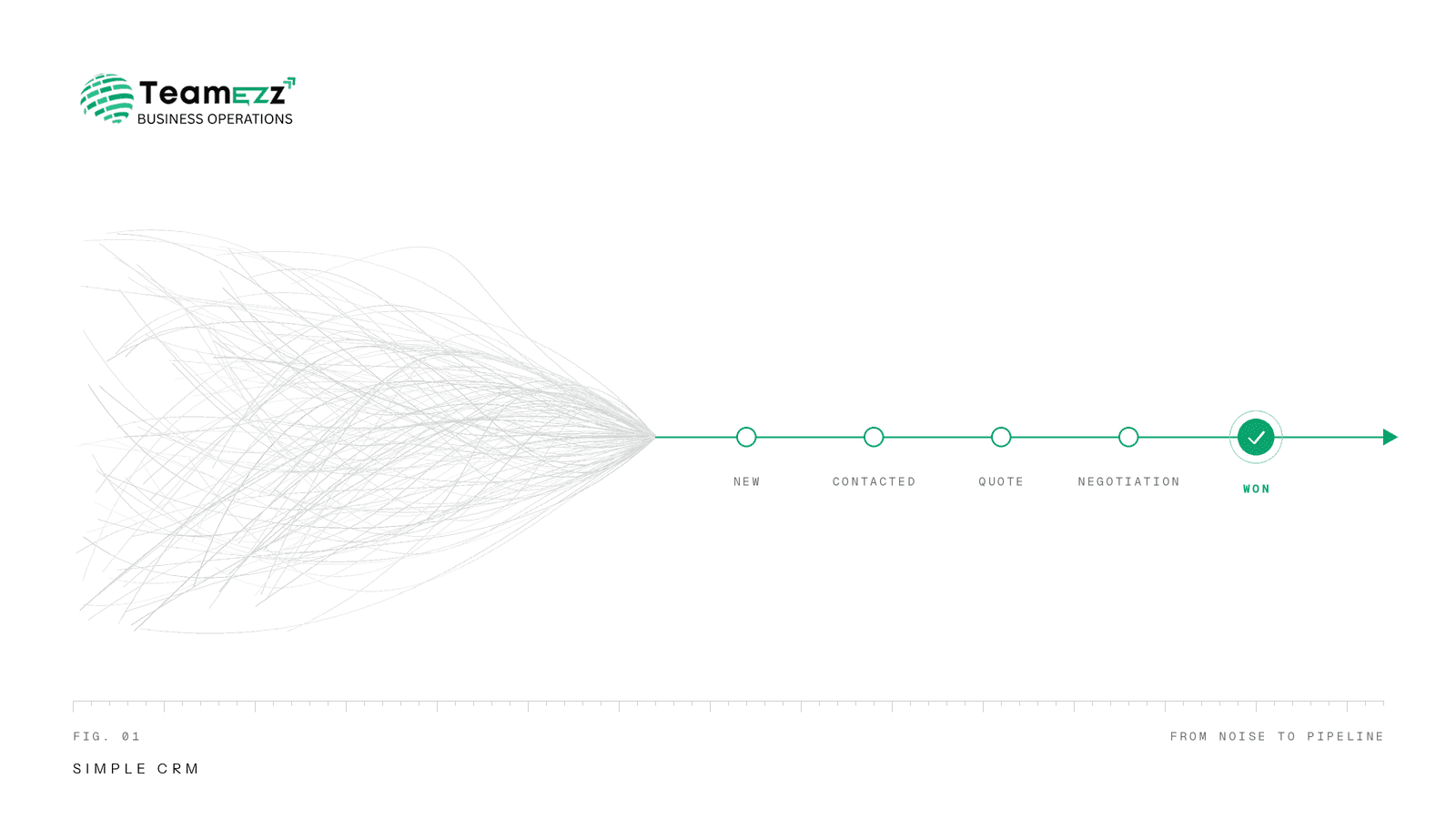
A visual pipeline (New → Contacted → Quotation Sent → Negotiation → Won/Lost) shows where every deal stands. Four to six stages are enough. If you need more, your process is probably too complicated.
3. Follow-up reminders
This is the feature that makes the money. Most deals are lost not because the customer said no, but because nobody followed up. Reminders for calls, meetings and quotation follow-ups protect your revenue.
4. Activity history
Calls, notes, quotations and meetings should be recorded against each customer. When one salesperson is on leave, a colleague can pick up the conversation without asking the customer to repeat everything.
5. Basic reports
You only need answers to a few questions:
- How many new leads came this month, and from where?
- How many were converted?
- Which salesperson is following up and who isn't?
- How much is in the pipeline?
6. Mobile access
Small business teams work on the move. If the CRM doesn't work smoothly on a phone, it will not be used.
What You Don't Need (Yet)
Many CRM vendors push features that sound impressive but rarely matter for small teams. You can usually skip these at the start:
Feature | Why you can skip it |
Advanced AI forecasting | Needs lots of historical data you don't have yet |
Territory and quota management | Only useful for large field sales teams |
Complex workflow automation | Adds setup time; manual follow-ups work fine at small scale |
Marketing automation suites | Use a dedicated tool later if you need one |
Dozens of third-party integrations | You need 2-3 at most (WhatsApp, email, Google Sheets) |
Custom-built dashboards | Standard reports cover 90% of needs |
You can always add more later. Starting simple is far better than buying everything and using nothing.
How to Choose an Easy CRM for MSME Teams
Here are some queries that you should pose while comparing tools.
1. Is it possible for the new staff member to learn to use it in less than an hour? If not, then there is no point in adopting it as it will take days.
2. Is the pricing clear and per-user affordable? Beware of hidden costs like setup cost, extra features etc. For MSMEs, predictability of pricing in rupees is essential.
3. Is it compatible with your business process? If you do your business through calls, WhatsApp and quotations, then the CRM tool must allow you to follow-up on them, not change your process.
4. Is your data safe and can it be exported? You should be able to get your customer data at any time. Do not choose a tool that will lock your data.
5. Will it scale with your requirements? Right now, you need leads and follow-ups. But tomorrow, you might need invoicing, project management or HR. It makes sense to use a platform that provides all of these in one place.
A Simple 5-Step Plan to Start Using a CRM
No fancy launch needed. Just do this:
- Write your sales process. Describe what you have to do from the first inquiry to the sale. Do not exceed 4-6 steps.
- Import your contacts. Import your contacts from Excel or your mobile phone into one list.
- Choose an owner. Only one person is responsible for verifying whether information gets regularly updated.
- Create a daily routine. Every day, the team opens the CRM, reviews the follow-up, and adds yesterday's calls.
- Look back once a week. Take 15 minutes to analyze the pipeline. Who got stuck? What leads are dying out?
In a month, you will understand how you make sales and where you lose them.
Where Simple CRM Software Fits in Your Business Stack
A CRM works best when it connects to other daily work: tasks, projects, attendance and billing. Many small businesses end up using one tool for leads, another for projects, another for HR, and a spreadsheet to tie it together.
That is where all-in-one platforms help. For example, TeamEzz HRMS is a cloud-based platform built for Indian MSMEs that combines CRM, project management, HRMS and ERP in one place, so your team doesn't switch between five apps.
Conclusion
You don't need a complex system to manage customers well. You need one place for leads, a clear pipeline, timely follow-ups and basic reports. Everything else can wait.
Start with simple CRM software that your team will actually use, and grow from there. If you want an easy CRM for MSME needs, with CRM, projects and HR in one platform, explore TeamEzz HRMS and see how it fits your team.
https://www.teamezz.com/contact
FREQUENTLY ASKED QUESTION
Which CRM should I choose as the simplest for my small business?
The easiest CRM will allow working with contacts, sales pipeline visualization, reminders for follow-ups, activity notes, and reporting, along with good mobile application. In case your team learns how to use it within an hour, it's quite simple.
Should I use Excel instead of CRM?
Excel can be used in case of a few customers. As the number of leads grows, it will become hard to control follow-ups, exchange updates among the team members and overview sales pipeline. The easiest CRM helps you to solve this issue without complex configuration.
How much does the simple CRM for MSME cost?
The cost depends on the particular CRM and the number of users. Most of CRMs cost per user per month. Some of them have additional fees for additional modules. Check out whether there are any setup fees and additional charges, and calculate annual total price.
Do I really need CRM if I have less than 10 employees?
Yes, in case if you work with regular clients or several leads simultaneously. Small teams gain the most from CRM, since one failed follow-up may take a considerable part
How long does it take to set up a CRM?
A genuinely simple CRM can be set up in a day: import contacts, define pipeline stages, add your team. The harder part is building the daily habit of using it.